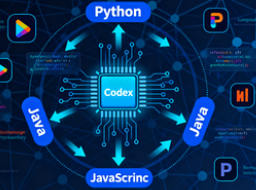
Codex is a "single agent, multiple ingress" set of AI coding agents: it can run locally in the terminal with the Codex CLI, embed editors such as VS Code through IDE extensions, and can process tasks in parallel, initiate pull requests, and code reviews in parallel in a sandbox environment in the Codex cloud. The three share the same account and context, and can seamlessly switch between local and cloud working status.
1. Positioning and boundaries of the three parties
- Codex CLI (local terminal).
For developers working on the command line, run, read and modify repository code, execute commands and tests locally. The advantages are low latency, deep collaboration with existing scripts/toolchains, and fine control granularity. It is suitable for scenarios that require strong local environment dependencies and strict control over execution permissions. Officially provide npm/Homebrew installation, officially support macOS/Linux, Windows is recommended to cooperate with WSL. Support setting approval mode and inference strength, and the default model is GPT-5.
- Codex IDE Extension (In-Editor Collaboration)
Insert Codex into VS Code/Cursor/Windsurf, etc., and directly use "Open File/Selected Code" as the context to conduct conversations, edit, and preview diffs. The advantage is that what you see is what you get and shorter prompt links; Interactive cooperation for daily development, reading and fine-tuning of code. You can "delegate the task to the cloud" with one click to continue running without losing context.
- Codex Cloud (Cloud Proxy and Parallel Tasks)
automatically prepares isolated sandbox containers (customizable dependencies and images) for each task in the cloud, executes them in parallel, produces changes, and generates PRs in the background. You can initiate a code review codex GitHub or start a task from the web/mobile side. By default, the network is off-limits, and restricted or full network access can be opened on demand. Enterprise Edition can be configured with organization-level policies and quotas.
2. How to choose: Typical usage decisions
- Prioritize the "execution environment":
- Rely heavily on the native toolchain/private network: Prefer Codex CLI.
- IDE context and visualization changes required: Extend with an IDE.
- Long tasks, running in parallel, collaborating across devices, or automated reviews: leave it to Codex Cloud.
- "Permissions and security" first:
- By default, CLI/IDE only automatically reads, writes, and executes commands in the working directory; Exceeding authority or networking requires explicit approval.
- The cloud requires stricter account security (such as enabling MFA), and repository access is authorized through GitHub and least privilege controls. At the container level, network proxy and cache invalidation policies are provided.
- "Efficiency and collaboration" first:
- fast local iteration: CLI/IDE instant feedback, low-context switching.
- Team collaboration and review: Cloud tasks generate PRs, and codex trigger reviews in GitHub, suitable for continuous integration and code quality governance.
- Cross-end continuity: The same ChatGPT account is connected to the state, and you can switch between on-premises and cloud at any time to continue working.
3. List of functional differences (essential)
- Installation and operation: CLI (npm/brew, local TUI); IDE extension (plugin market installation); Cloud (web portal bound to GitHub).
- Environments and dependencies: CLI/IDE with your native environment; Configurable container images for the cloud (support for universal images and custom scripts).
- Typical tasks: CLI/IDE is suitable for "instant editing/debugging/small steps"; The cloud is suitable for "long-term refactoring, batch testing, automated review, and concurrent tasks."
- Trigger method: CLI command/prompt; IDE Dialogs & Panels; Cloud support web, iOS Codex portal, and codex in GitHub PRs.
- Cost and quota: All three are available with ChatGPT Plus/Pro/Business/Edu/Enterprise plans; Enterprises can manage quotas and policies separately.
Frequently Asked Questions (Q&A)
Q: I use extensions in VS Code, can I throw long tasks to the cloud?
A: Yes. The IDE extension supports delegating tasks to the cloud, and the cloud sandbox maintains context and executes in parallel in the background, producing diffs/PRs when completed.
Q: How do I recommend using the Codex CLI for Windows environments?
A: Official support macOS/Linux; Windows is still experimental, and the best practice is to run through WSL for a stable Linux-like experience that is compatible with dependencies.
Q: Does the cloud have access to the Internet and private dependencies?
A: The default network is disabled, and you can enable restricted or full access in the environment settings, and install dependencies through custom scripts. Private sources/keys can be securely injected using "environment variables/secrets".