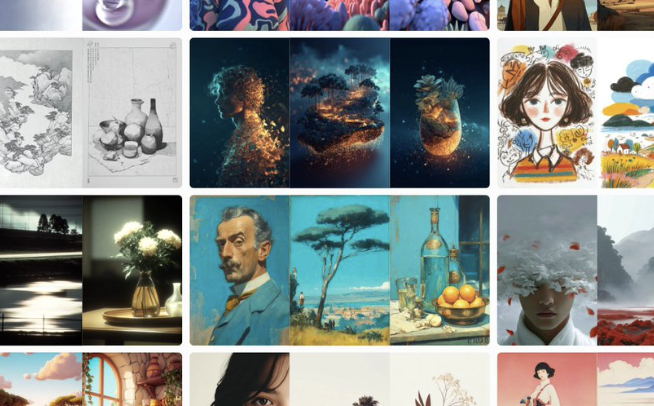
Midjourney website update: Style Explorer has × 7 styles, the hot list is continuously refreshed, and Likes can be filtered by image/video/style
Midjourney has launched a set of changes related to the efficiency of AI creation: the number of styles in Style Explorer has been expanded to 7 times and search support is supported; Style's Hot/Top feed has been fixed to be continuously updated. The Likes page adds precise filtering by image, video, and style. AI creators can now find styles faster and produce consistent outputs.
1. What pain points does this update solve
?1. Style Explorer expands × searches directly to
Style Explorer's style library and AI style tags have increased significantly, and search supports fuzzy matching, enter "photographic" and "anime" and other keywords can quickly locate the style, reducing the time cost of finding the style by memory.
2. Style Hot List/Top continues to refresh
Hot/Top information flow repair and normalized iteration, popular and high-quality styles will be dynamically updated with the community to avoid "expired styles" occupying space for a long time and be closer to the current visual trend.
3. Precise Screening of Likes
Likes introduces "Picture Only/Video Only/Style Only" filtering, and AI material management has been upgraded from "mixed favorites" to structured archiving, significantly improving the efficiency of replay and reuse.
2. Immediately available workflow
gameplay 1. Three-step method of style locking
(1) Search for styles by keywords in Style Explorer
(2) Open the sample gallery to compare differences
(3) One-click trial and add the "Style" group of Likes, Form a personal style pool
2. Consistent production line from hot list to new consistency (
1) Browse Style Hot/Top every day and pick out 3-5 new styles
(2) Use the same prompt to test run in batches to observe stability
(3) Add styles with high pass rates to Likes, and reuse subsequent projects directly
3. Material backtracking and review
(1) Filter with "video only/picture only/style only" in Likes
(2) Record the prompt template and parameters for styles with high hits
(3) Clean up low-hit styles every week to keep the style library lightweight and high-quality
3. Landing details and precautions
1. Naming and tags
Establish a unified name for the style, such as "theme_texture_age", and include a style alias in the description of the work to facilitate search and team collaboration.
2. A/B verification
Under the same prompt, use 2-3 similar styles to compare consistency; Preferentially choose a stable style under multiple themes to enter the main line.
3. Copyright and norms
Beforepublic display and commercial use, check the readability and compliance of characters, trademarks, and text; For video output, pay attention to the description of music and material sources.
Frequently Asked Questions (Q&A)
Q: What are the direct benefits of this Style Explorer expansion for AI creation?
A: The expansion of the number of styles and direct search make the link of "finding styles→ trying styles→ locking styles" shorter, and AI generation is easier to maintain style consistency and reproducibility.
Q: Why is it important to keep Hot/Top updated?
A: AI style popularity changes quickly, and hot lists often help you capture trends and audience preferences, reducing the risk of using "outdated styles".
Q: How does the "style only" filter of Likes work with project management?
A: Concentrate the high-hit styles in the "Styles" view of Likes, create folders and aliases according to the project, and apply them directly in the future to shorten the time for uploading and revising drafts.
Q: How can I use Style Explorer to search more efficiently?
A: Prefer semantic words (such as "cinematic", "photographic", "anime"); Combine hashtags with sample galleries for secondary filtering, and then add Likes to form your AI style pool.