1. What is ChatRTX
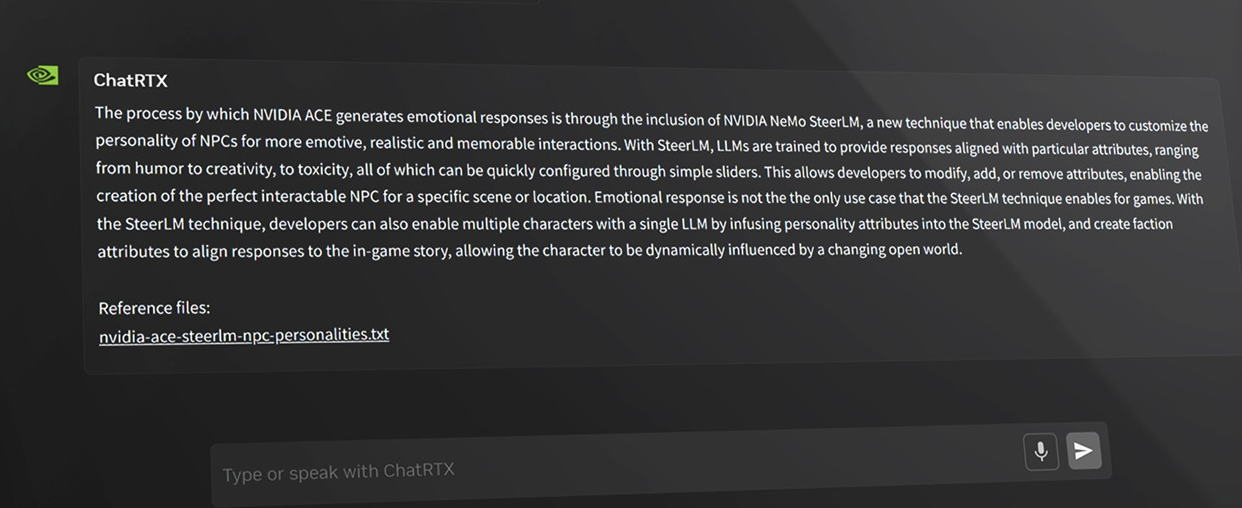
? To put it simply, ChatRTX is a native RAG chat application launched by NVIDIA: build a database of your documents, notes, pictures, and other content, and cooperate with large language models to retrieve and enhance answers. It is based on TensorRT-LLM and NIM microservices and accelerated by RTX graphics cards, providing faster and more private answers, which is more controllable than transferring data to the cloud.
Core functions include:
- Chat with your files: Point TXT, PDF, DOC/DOCX and other files to a folder, and quickly build a library for Q&A.
- Voice Dialogue: Built-in speech recognition, tap the microphone to speak directly to generate text and then hand it over to the model for answers.
- Image Retrieval: Support searching by content in local albums by text or voice.
- Models and microservices: Downloadable to use multiple NIM models (such as Llama 3.1 8B, etc.) and accelerate inference on RTX.
2. Who needs ChatRTX the most
1. Knowledge-based individuals and content teams
If you have to flip through a lot of PDFs and Word every day, ChatRTX can turn "finding paragraphs, locating sources, and spelling results" into a conversation. For example, put the reports in the same folder and ask "give the change in the gross profit margin of Company A in the past three years and mark the source paragraph".
2. Data compliance users in the enterprise
Whenyour documents cannot be migrated to the cloud due to compliance restrictions, local RAG is particularly suitable. ChatRTX leaves both inference and retrieval on the device, reducing the risk of data leakage.
3. Image and multimedia data organizer
Need to quickly find "with cats" and "outdoors" materials in the picture pile? Image search can directly screen out candidates, and can also initiate search with voice, which is more efficient.
3. ChatRTX's killer features
1. Truly "local" RAG
All retrieval, embedding, and inference are carried out on Windows; With RTX acceleration, Q&A latency is low and privacy is controllable. Compared with cloud RAG, it does not rely on extranet and account limits.
2. NIM microservices and RTX optimization
Support downloading of model microservices optimized by RTX (such as Llama 3.1 8B NIM, CLIP vision model, etc.), and you can switch them within the application after installation; The default model is stable enough for general Q&A and retrieval.
3. Voice and picture integration
Voice input is closer to natural usage scenarios; The image side can search the album by semantics, and selecting/reviewing pictures is much faster than turning them one by one.
4. Charges
Free version:
- Included functions: free download of the application body; Local RAG Q&A, voice input, image retrieval, NIM model download and acceleration.
- Usage restrictions: The function is positioned as "technical demonstration", and the features will be adjusted with the version iteration. For the first installation, you need to download more dependencies and model files.
- Suitable for: individual users, team pilots, local compliance exploration.
Hardware/system threshold (equal to "hidden cost"):
- GPU: GeForce RTX 30/40 series (≥ 8GB of VRAM), or RTX 5090/5080; higher specifications (e.g., 4080/4090 or higher professional cards) are required for some NIMs.
- System: Windows 11 (23H2/24H2), the driver version requirements are newer.
- Disk space: It is recommended to reserve about 70GB; Depending on the model chosen, the installation process usually also downloads about 50GB of additional resources.
- Time cost: The official guidelines give an installation interval of about 10–30 minutes (depending on network speed and server load).
My suggestion:
- Individual/small team: Use the default model to run through the process first, confirm the RAG effect, and then consider downloading a larger model.
- Enterprises: Use ChatRTX as a "local RAG prototype", use it to verify privacy and latency, and then decide whether to use the same technology stack to expand to production.
5. Practical Skills
1. Small collection first - then large database
Put the most frequently checked information in a separate "essence folder", first build a small database to test the retrieval effect, confirm the quality of recall, and then expand the entire knowledge base, which can significantly reduce invalid vectors and waiting time.
2. The more specific the question, the more available the answer
RAG is good at "checking points rather than the whole book". Instead of asking "summarize the entire white paper", it is better to ask "list the three restrictions on product A in Chapter 2 of the white paper with page numbers". The hit rate and citation quality will be higher.
3. Manage disks and models
Uninstalling applications does not mean freeing up model occupancy. You need to clean up the NIM related folders separately. Before downloading, see the space required for each model to avoid "exploding halfway down".
6. Compare similar tools
- Compare AnythingLLM/LM Studio (local ecosystem): ChatRTX is better than RTX acceleration and official optimization chain, and it can be used out of the box; AnythingLLM/LM Studio is more suitable for deep players in terms of model selection, cross-platform, and playability.
- Compare cloud RAG (such as online knowledge base tools): cloud is hardware-free and collaborative, but privacy and bandwidth are pain points; ChatRTX keeps data local, with low latency and high confidentiality.
- Compared with Ollama+ self-built RAG: self-built RAG has the highest flexibility, but the configuration is complex and easy to step on pitfalls; ChatRTX uses a visual interface to string search, embedding, and reasoning, which is more suitable for teams that don't want to toss around.
Overall, ChatRTX is best suited for privacy-focused/low-latency local knowledge retrieval and writing scenarios: researchers, consultants, legal, product and operations students can benefit immediately.
7. Summary
ChatRTX is an AI tool that connects "local data → chat knowledge base". It is has found a balance between
- localization and compliance: priority trying;
- Heavy document workers: first use the "Essence Folder" to test run to confirm the quality of the recall;
- For a stronger model: Download a larger NIM step by step, paying attention to the disk and driver version.
- Finally, reminder: this is an application for technical demonstration positioning, and the version is iterating; Before launching key services, be sure to do a round of regression testing of "accuracy-latency-stability-space occupancy".
Frequently Asked Questions (Q&A)
Q: Does ChatRTX need to be connected to the Internet and will it upload files?
A: Core retrieval and generation are done locally, and the data remains local by default. During the installation phase, dependencies and model files are downloaded from official sources, so you don't need to upload your documents to the cloud.
Q: Can my computer run ChatRTX?
A: Windows 11 with newer drivers is required; For graphics cards, the RTX 30/40 series (≥ 8GB of VRAM) or RTX 5080/5090 is recommended. If you plan to use some NIM microservices, the graphics card specifications are more demanding.
Q: Why is the first installation so long and the space so large?
A: It is necessary to download resources such as models and acceleration engines at one time, so the official recommendation is to reserve about 70GB of space, and the actual download volume is about 50GB, which usually takes 10-30 minutes to install (depending on the network speed and image load).
Q: How about Chinese support? Can you voice?
A: Optional Chinese model version for Chinese text Q&A; Speech recognition is currently mainly in English, and some Chinese models do not provide voice input buttons.
Q: What should I do if I can't find a paragraph?
A: RAG is better at "specific problems". Try narrowing down the scope (specifying chapters/time periods/keywords), or reconstructing the vector library by putting highly relevant information in a separate folder, and the hit rate will be significantly improved.