1. Abstract
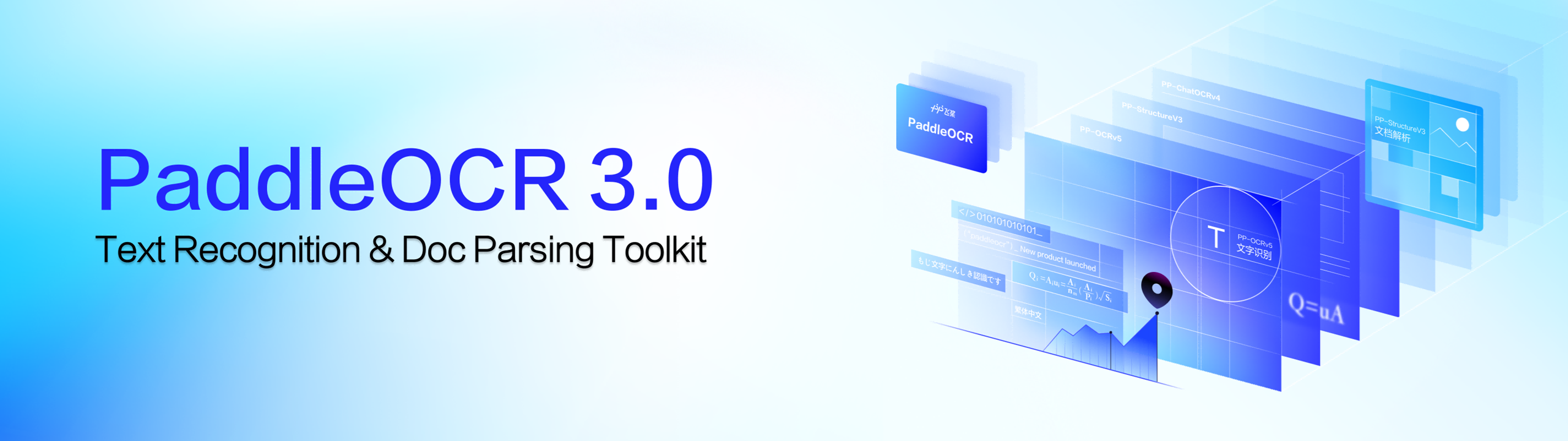
PaddleOCR is an open-source OCR and document parsing toolbox based on PaddlePaddle, which provides "text recognition + structured extraction" for images and PDFs. In the 3.x system, PP-OCRv5 covers general text detection and recognition, and PP-StructureV3 further provides complex document layout parsing capabilities, which can output structured results (such as Markdown and JSON) that are closer to the original layout, suitable for scenarios such as document retrieval, RAG data preparation, and automated information extraction.
2. Core features
- Multilingual and universal scene OCR: Provides a complete assembly line for text detection + recognition, covering multiple languages and common image text scenarios.
- Complex Document Analysis (PP-StructureV3): Strengthens layout area detection, table recognition, formula recognition, and adds chart understanding, multi-column reading order recovery, and results conversion to Markdown.
- Modular capability combination: modules such as document orientation classification, image correction, tables/seals/formulas can be enabled on demand, taking into account speed and effect.
- Multi-form call and deployment: It supports command-line fast experience, Python API integration, and provides more flexible servitization/multilingual call paths for engineering.
- Integration for Agents (MCP Server): OCR and document parsing capabilities can be used as tools to support MCP applications, lowering the integration threshold of "document to available data".
3. Installation
- Install the paddle frame: First install PaddlePaddle according to your CPU/GPU and CUDA environment (3.x usually requires PaddlePaddle version not less than 3.0).
- Install PaddleOCR:
- Basic OCR:
python -m pip install paddleocr - Full functions (including document parsing, etc.):
python -m pip install "paddleocr[all]" - 3. Install dependency groups on demand: If you are mainly doing document parsing, you can give priority to dependency groups related to document parsing (such as doc-parser).
4. Typical use cases
- Text extraction of pictures/scans: text detection and recognition of contracts, invoices, screenshots, street signs, and forms.
- PDF parsing and structuring: Disassemble complex PDF/document images into headings, paragraphs, tables, images, and other elements, and export them to Markdown/JSON for easy secondary processing.
- Table and chart processing: Functions such as table structure restoration and chart conversion can be used for report digitization and data storage.
- Formulas and academic documents: Identify and structure pages containing formulas to assist in the organization of paper materials.
- RAG/Retrieval Enhancement Preparation: Transform "unsearchable" documents into structured text blocks and metadata to improve the quality of retrieval and citation.
5. Ecology and competing products
- Ecosystem: Connect with PaddlePaddle/PaddleX and other tool chains, covering training, inference, and deployment. At the same time, it provides higher-level assembly line capabilities such as document parsing, translation, and information extraction.
- Comparison of competing products:
- Tesseract: Light deployment, mature traditional routes, but often require more self-built in terms of complex layouts and end-to-end engineering capabilities.
- EasyOCR/DocTR: Quick to get started and relatively straightforward in dependencies, but there are differences in the integration of "table/layout/multi-module pipeline" and the Chinese ecosystem.
- Visual language model routes (such as Donut/TrOCR classes): have great potential for end-to-end understanding, but cost, stability, and controllability need to be combined with business verification.
6. Limitations and precautions
- Version compatibility: PaddleOCR 3.x has interface changes compared to 2.x, and old code may need to be migrated and adapted.
- Dependencies and environments: Deep learning frameworks and multi-module dependencies may bring complexity to installation/version combinations, so it is recommended to use an independent virtual environment and fix the version.
- Performance and resources: Complex document parsing (tables/formulas/charts) consumes more computing power and memory, and large PDFs are recommended to be processed in batches and close unnecessary modules.
- Effect boundary: Low resolution, strong reflection, severe distortion, extreme font/handwriting and other scenarios may still be wrong, and key business recommendations are to add manual review and confidence strategy.
- Privacy and compliance: If you access online services or third-party reasoning platforms, you need to evaluate data compliance and desensitization solutions. Offline deployment is better for sensitive documents.
7. Project address
https://github.com/PaddlePaddle/PaddleOCR
8. Frequently asked questions
Q: Is PaddleOCR suitable for "PDF to Markdown"?
A: Yes. You can use the document parsing pipeline to extract layout elements and export them to Markdown, but complex pages are recommended to close modules as needed, process them in batches, and do sampling of results.
Q: What is the difference between PP-OCRv5 and PP-StructureV3?
A: PP-OCRv5 is more general "text detection + recognition"; PP-StructureV3 is oriented towards "layout parsing", which handles the restoration of titles/paragraphs/tables/formulas/charts and reading order, and outputs more structured results.
Q: Do I only want to do basic OCR and need to install full dependencies?
A: Not necessarily. The basic OCR can be installed with minimum capacity first; Document parsing, translation, information extraction, etc. are required to install the corresponding function dependencies on demand.
Q: Does PaddleOCR require a GPU?
A: Not necessarily. CPUs can run but may be slower; GPUs are generally more recommended for high-volume or complex document parsing.
Q: How do I connect PaddleOCR to the Agent or desktop tool?
A: You can use PaddleOCR's MCP Server as a tool service to connect to MCP-enabled applications to automate the process of "images/PDFs→ available structured data".
Q: How to choose the effect of multilingual OCR?
A: It is recommended to clarify the language and font/scene first, and then select the corresponding model and pipeline configuration. Mixed-language and complex layout scenarios should be benchmarked with small samples.