1. Basic information
Prism is a scientific research writing and collaborative workspace launched by OpenAI, with core keywords such as LaTeX native editing, cloud compilation, team collaboration, and GPT-5.2 deep integration. Prism uses the browser as the main entrance for researchers and teams who need to write academic papers, technical reports, and submission materials, emphasizing drafting, revision, citation management, and pre-publication preparation within the same project context.
2. Product overview
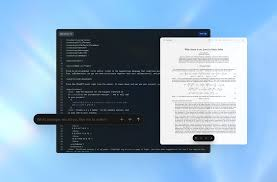
Prism brings together traditionally fragmented research writing toolchains into a single environment: writing, compilation, comment revision, citation and formula management, and AI-assisted capabilities for research writing. Its AI does not exist as an "external chat tool", but understands the structure, formula, references, and context of the paper based on the overall content of the project, thereby supporting iterative iterations that are closer to the rhythm of scientific research writing.
3. Core functions
1. Main functions
1. LaTeX native writing and cloud compilation
Provides online editing and compilation previews to reduce the cost of local environment configuration and package management, making it suitable for cross-device and cross-organization collaboration.
2. Team collaboration and permission sharing
Support co-editing and commenting in the form of collaborators, so that multiple authors can jointly promote the same manuscript; How you can share Links Editable may currently be limited by product design.
3. AI-assisted writing and revision
Generate common LaTeX fragments (such as tables, figures, and heading structures) by rewriting, proofreading, and restructuring in the global context of your paper, and diagnose and suggest changes to compilation errors.
4. Literature search and citation sorting
Support supplementing references and related work suggestions in the context of the current manuscript to improve the citation link and review integrity.
2. Technical characteristics and usage
Prism is project-centric in managing files and dependencies, and common uses include raising requirements directly in the editor to the built-in assistant, locating issues based on error tags and compilation logs, applying or undoing suggestions, and migrating and backing up through project import and export. For rare or long-term unmaintained LaTeX macros, compatibility performance may vary depending on the environment.
4. Pricing and versions
Prism offers foundational competencies that are free to use, emphasizing that there is no seating limit for the number of collaborators and projects. The Pro plan may be available within the product to unlock more powerful AI features, but the specific price and benefit details are subject to the actual page, and it is uncertain whether it varies by region/version. Availability and go-live cadence for organizations can also vary by scenario.
5. Applicable scenarios and target groups
Prism is suitable for graduate thesis writing, collaborative revision by supervisors and research groups, cross-institutional co-signing of manuscripts, formatting before conference/journal submission, and science and engineering documents with a large number of formulas and citations. The target population covers the needs of researchers, students, engineering research teams, and writing collaboration in educational scenarios.
6. Precautions for use and compliance
When involving undisclosed research data, material subject to confidentiality agreements, or sensitive information, it is recommended to first evaluate your organization's compliance requirements and data handling practices, and configure them according to the privacy policies and settings provided by the product. Regarding capabilities such as "zero data retention" and data residency, some options may still be planned, and the actual support status is subject to the official description.
7. Frequently asked questions
Q: How do I troubleshoot when Prism's LaTeX compilation fails?
A: Prioritize checking the first error message in the compilation log, and then combine it with the error mark to locate the code line; Let Prism's built-in assistant explain the cause and suggest fixes that can be applied directly.
Q: Does Prism support literature search and citation management?
A: Prism supports supplementing references and recommendations in the context of manuscripts and is used to improve citations and reference lists, but the specific coverage and search sources may vary by version.
Q: How does Prism perform project backup and migration?
A: You can download ZIP backups through project export, or you can import existing LaTeX projects in ZIP mode. When importing stuttering, it is often recommended to try again or contact a support channel.
Q: What are the limitations of Prism shared collaboration?
A: Collaborators usually need to be invited by account. The "Anyone can edit" link sharing method may not be supported at the moment, depending on the current permission design of the product.